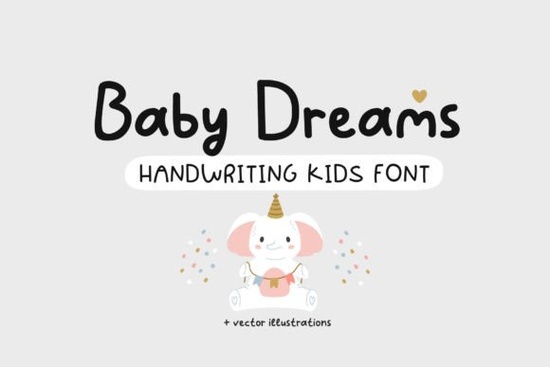
If you're working on a baby-themed design whether it’s a shower invitation, nursery wall art, or a sweet onesie the Baby Dreams Font brings just the right amount of charm. It’s a playful, rounded script with soft curves and cheerful letterforms that feel both modern and nostalgic. What makes it especially useful is its versatility: it works beautifully for greeting cards, children’s books, printable decor, and even baby clothing. Plus, it includes Cyrillic characters, so it’s a great option if you’re designing for bilingual families or international markets.
What kinds of projects work best with Baby Dreams?
This font shines in any context where warmth, innocence, and joy are the goal. Think:
- Baby shower invitations and thank-you cards
- Nursery prints and wall decals
- Personalized baby blankets or onesies (great for print-on-demand sellers)
- Children’s storybooks or activity sheets
- Boho-style nursery labels or milestone cards
Because of its friendly, hand-drawn feel, Baby Dreams pairs well with soft pastels, watercolor textures, and minimalist layouts. It’s not overly ornate, so it stays legible even at smaller sizes ideal for product tags or tiny gift cards.
How does it compare to other cute script fonts?
If you’ve used fonts like Nostalgic Words, you’ll notice Baby Dreams has a lighter, airier bounce less vintage, more contemporary whimsy. For something with similar sweetness but bolder strokes, Million Smiles offers a slightly more energetic vibe. And if you’re drawn to ultra-girly aesthetics, Barbie Cute leans into that playful pink-world energy, while Baby Dreams keeps things gender-neutral and universally appealing.
Looking for rainbow-bright fun? The Rainbow Font adds multicolor flair out of the box, whereas Baby Dreams gives you a clean canvas to customize with your own palette. And if you love milkshake-sweet softness, Milkshake shares that gentle roundness but Baby Dreams feels a bit more structured, making it easier to pair with sans-serif body text.
Is it easy to use for beginners?
Yes. Like most Creative Fabrica fonts, Baby Dreams installs just like any system font on Mac or Windows. Once installed, it works in Canva (via upload), Adobe Illustrator, Photoshop, Cricut Design Space, Silhouette Studio, and most design software. There are no complicated ligatures or alternate glyphs to manage what you see is what you get, which is perfect if you’re juggling multiple projects or tight deadlines.
That said, because it’s a script font, avoid using it in all caps or for long paragraphs. Stick to headlines, names, short phrases, or decorative accents to keep your message clear and visually balanced.
Can I use it commercially?
Absolutely. When you download Baby Dreams through Creative Fabrica, you get a commercial license that covers physical and digital products so you can sell mugs, posters, SVG bundles, or printable kits without extra fees. Just remember: you can’t redistribute the font file itself or claim it as your own creation.
For full details on licensing terms, you can always refer to the official listing: Baby Dreams Font.
Tips for getting the most out of this font
- Pair it wisely: Combine Baby Dreams with a clean sans-serif like Montserrat or Quicksand for contrast and readability.
- Adjust tracking: Slightly increase letter spacing if using larger sizes it helps the playful shapes breathe.
- Use color thoughtfully: Soft mint, blush pink, sky blue, or warm beige enhance its gentle personality.
- Layer with illustrations: It complements cloud motifs, stars, animals, and botanical doodles often found in nursery themes.
Whether you’re a small business owner creating baby milestone cards or a parent designing a personalized growth chart, Baby Dreams adds a touch of sincerity without feeling cutesy or overdone.
Before you start your next baby-themed project, check this quick list:
- ✅ Confirm your software supports .OTF or .TTF files
- ✅ Test readability at your intended size (especially under 12pt)
- ✅ Save a backup of your design with outlined text (in vector programs)
- ✅ Review Creative Fabrica’s current license terms for commercial use
- ✅ Consider pairing it with complementary clipart or patterns from the same platform for cohesive branding
With its cheerful simplicity and broad usability, Baby Dreams isn’t just another decorative font it’s a practical tool for anyone creating heartfelt designs for little ones and the people who love them.
Get Started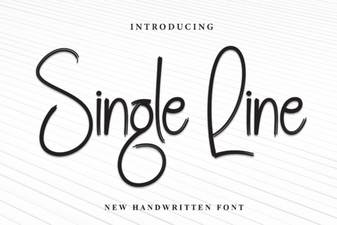 A Designer's Guide to Single Line Font Projects
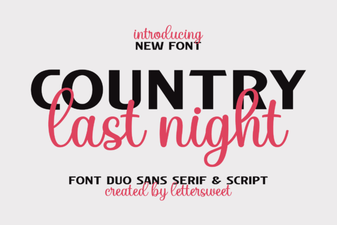 Country Last Night: a Creative Duo Font Project
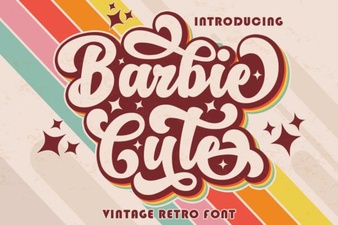 Barbie-Inspired Font Design for Creative Projects
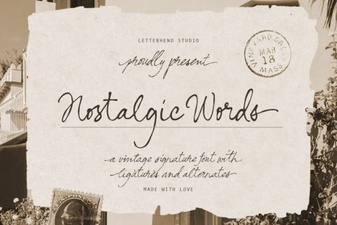 Nostalgic Fonts for Designers & Creatives
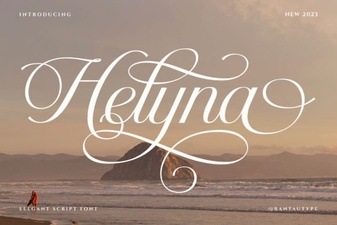 Helyna Font: Elegant Typography for Your Creative Projects
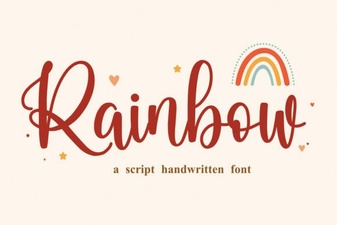 Add Colorful Style with a Rainbow Font