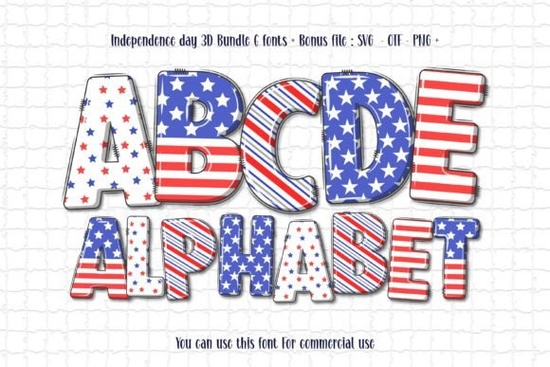
If you're working on a Fourth of July project whether it’s a t-shirt design, vinyl decal, poster, or social media graphic you’ll want typography that captures the spirit of the holiday without looking generic. The Independence Day 3d Font does exactly that. It’s not just another red-white-and-blue typeface; it’s a layered, dimensional font bundle designed to reflect patriotism through thoughtful visual storytelling.
This bundle includes six color variations that bring depth and texture to your text. Each version uses shading, highlights, and subtle gradients to create a 3D effect that feels bold but not overwhelming. Whether you’re designing a backyard party banner or a limited-edition merch drop for your small business, this font adds instant character while staying true to classic American symbolism.
What makes this font different from other patriotic fonts?
Most holiday-themed fonts rely on stars, stripes, or fireworks as literal embellishments. The Independence Day 3d Font takes a more refined approach it conveys national pride through form and dimension rather than overt decoration. The letterforms themselves feel grounded and strong, echoing architectural motifs and historical signage without veering into cliché.
Another key distinction is its dual compatibility structure:
- The black version works with Cricut Design Space, Silhouette Studio (basic edition), and other cutting software. This makes it ideal for crafters who cut vinyl, heat transfer, or paper.
- The color versions (which include the full 3D effect) are only compatible with advanced design programs like Adobe Photoshop, Illustrator, Inkscape, and Silhouette Studio (Designer Edition). These files come in OTF/TTF format but won’t render properly in Cricut due to how layered color fonts are handled.
If you’re unsure which version you need, Creative Fabrica’s guide to using colorful fonts walks through setup steps for each platform. It’s worth reviewing before you download especially if you’ve had trouble with color fonts in the past.
Who should use this font?
This font shines for creators who want to add authenticity and visual weight to their Independence Day projects:
- Print-on-demand sellers can use it for mugs, tote bags, or apparel featuring quotes like “Land of the Free” or “Born in the USA.” The dimensional look stands out in product mockups.
- Crafters making yard signs, window decals, or iron-on shirts will appreciate the clean black version’s compatibility with cutting machines.
- Small businesses hosting July promotions or community events can create cohesive branding think flyers, digital ads, or storefront displays that feels festive but professional.
- Hobbyists and educators might use it for classroom decorations, scrapbook titles, or family reunion banners where readability and theme matter equally.
Just keep in mind: if your workflow relies solely on Cricut Design Space and you want the full-color 3D look, you’ll need to create your design in a compatible program first (like Photoshop), then export it as an SVG or PNG to import into Cricut.
How does it compare to other decorative fonts on Creative Fabrica?
If you’ve browsed Creative Fabrica’s holiday section, you’ve likely seen fonts like those in the Neon Collection vibrant, glow-heavy typefaces great for retro or nightlife themes. The Independence Day 3d Font occupies a different space: it’s celebratory but restrained, detailed but legible at larger sizes. It pairs well with serif headlines or minimalist sans-serifs for contrast, and it doesn’t compete with photos or illustrations in layouts.
Unlike novelty fonts that trend for a season and fade, this one has lasting utility. You could reuse it for Veterans Day, Memorial Day, or even election-year designs with minor tweaks making it a practical addition to your creative toolkit.
Before you download: check your software
To avoid frustration, confirm which design tools you’ll use:
- If you’re using Cricut Design Space only, stick with the black outline version for cutting.
- If you work in Photoshop, Illustrator, or Inkscape, you can fully leverage the color layers and 3D depth.
- Always test the font at your intended size some intricate details may soften when scaled down below 36pt.
And remember: color fonts like this one aren’t plug-and-play in every app. Creative Fabrica’s Ultimate Font Guide explains why and how to troubleshoot common issues.
Next step: Download the Independence Day 3d Font, open it in your primary design program, and try typing a short phrase like “Home of the Brave.” See how the shadows and highlights respond at different sizes. If it renders cleanly and matches your project’s tone, you’ve got a reliable go-to for all your patriotic designs this summer and beyond.
Get Started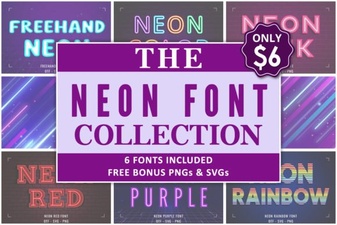 Neon Collection Font: Bold Designs & Creative Ideas
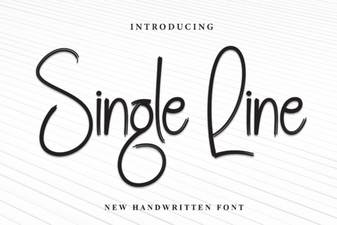 A Designer's Guide to Single Line Font Projects
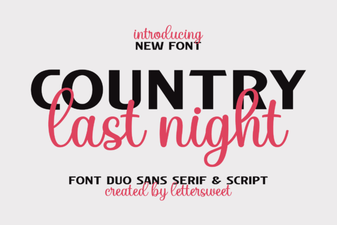 Country Last Night: a Creative Duo Font Project
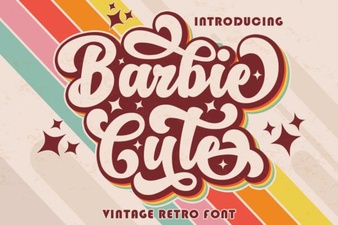 Barbie-Inspired Font Design for Creative Projects
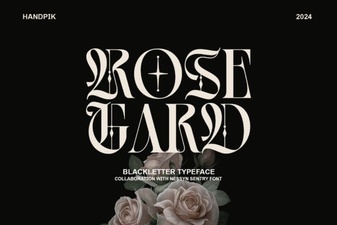 Rose Gard Font: Design & Project Inspiration
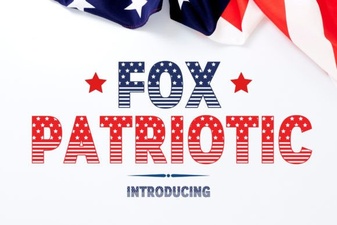 Fox Patriotic Font for Crafts & Patriotic Designs