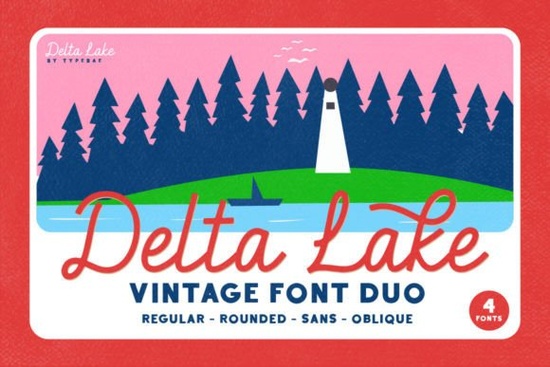
If you're looking for a handwritten script font that feels personal yet polished, Delta Lake Font is worth a closer look. Designed with graceful entry and exit strokes, it mimics the natural flow of brush lettering ideal for invitations, branding, packaging, or any project where warmth and elegance matter.
What sets Delta Lake apart is its built-in ligatures. These automatically connect certain letter pairs (like “th,” “st,” or “fl”) so your text reads smoothly, just like real handwriting. You don’t need to manually adjust spacing or swap glyphs it’s all handled by the font itself when used in compatible software like Adobe Illustrator, Photoshop, or even Canva Pro.
When should you use Delta Lake Font?
This font shines in contexts that call for intimacy and charm:
- Wedding stationery (save-the-dates, menus, place cards)
- Handmade product labels (soaps, candles, baked goods)
- Personalized gifts (mugs, tote bags, wall art)
- Small business logos with a boutique feel
- Social media quotes or digital greeting cards
Because of its fluid strokes and delicate tails, Delta Lake works best at medium to large sizes. It’s not ideal for body text or tiny print reserve it for headlines, names, or short phrases where each letter can breathe.
How does it compare to other script fonts?
Not all brush scripts are created equal. Some feel stiff; others are overly dramatic. Delta Lake strikes a balance: expressive but legible, stylish but not distracting.
If you’ve liked fonts like Nostalgic Words, which leans vintage with soft curves, or Billy and Bob, known for its playful bounce, Delta Lake offers a more refined alternative. It’s closer in mood to Romeo Wedding elegant and romantic but with a slightly more modern rhythm.
For baby-themed projects, you might also consider Baby Dreams, which has a gentler, rounded touch. And if you’re after cheerful energy, Million Smiles brings upbeat flair with exaggerated swashes. Delta Lake sits comfortably between formality and friendliness, making it versatile across seasons and occasions.
Tips for using Delta Lake effectively
To get the most out of this font, keep these practical pointers in mind:
- Pair it wisely. Delta Lake pairs beautifully with clean sans-serifs like Montserrat, Lato, or Helvetica Neue. Avoid combining it with another script clutter kills elegance.
- Use OpenType features. Make sure ligatures are enabled in your design software. In Adobe apps, open the Glyphs panel or toggle “Standard Ligatures” under OpenType settings.
- Less is more. One or two words in Delta Lake often have more impact than a full paragraph. Let it be the accent, not the entire outfit.
- Test readability. Print a sample or view it on mobile before finalizing. Those lovely tails can blur together if letters are too tight or too small.
Print-on-demand sellers, take note: Delta Lake photographs well on mockups. Its contrast and stroke variation show up clearly on mugs, apparel, and posters especially when paired with neutral backgrounds like cream, soft gray, or blush.
Is it beginner-friendly?
Yes if you’re comfortable installing and using custom fonts, Delta Lake won’t throw curveballs. The file typically includes both .OTF and .TTF formats, so it works across Mac, Windows, and most design platforms. Just remember: the ligature magic only activates in programs that support OpenType features. If you’re using basic word processors, you’ll still get a pretty script, but without the seamless connections.
For crafters using Cricut Design Space or Silhouette Studio, upload the font as usual. While those platforms don’t always support advanced ligatures, Delta Lake’s base letterforms are attractive enough to stand alone.
Before you buy, check Creative Fabrica’s preview tool to test your own words. Seeing “Emily & James” or “Handcrafted with Love” in Delta Lake might be all you need to know it’s the right fit.
Quick checklist before downloading:
- Confirm your software supports OpenType ligatures (for full effect)
- Review the license Creative Fabrica’s standard license covers commercial use, including POD
- Compare it side-by-side with similar fonts like Romeo Wedding or Baby Dreams to match your project’s tone
- Download a test version if available, or use the live preview
 A Designer's Guide to Single Line Font Projects
 Country Last Night: a Creative Duo Font Project
 Barbie-Inspired Font Design for Creative Projects
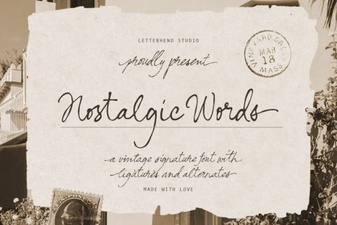 Nostalgic Fonts for Designers & Creatives
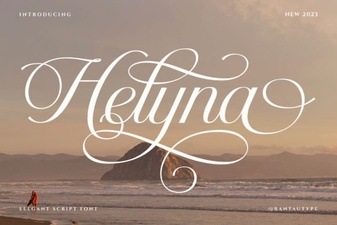 Helyna Font: Elegant Typography for Your Creative Projects
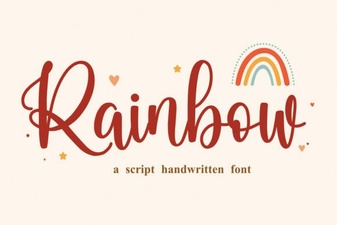 Add Colorful Style with a Rainbow Font